How to answer, reject, mute or end a call
Use the Control button to manage calls:
- Answer a call: Press the Control button once during an incoming call.
- Reject a call: Press and hold the Control button during an incoming call.
- Mute the microphone: Press the Control button twice quickly during a call.
- Unmute the microphone: Press the Control button twice quickly while muted.
- End a call: Press and hold the Control button during a call.
- Adjust the call volume: Use the Control button to increase or decrease the volume during a call.
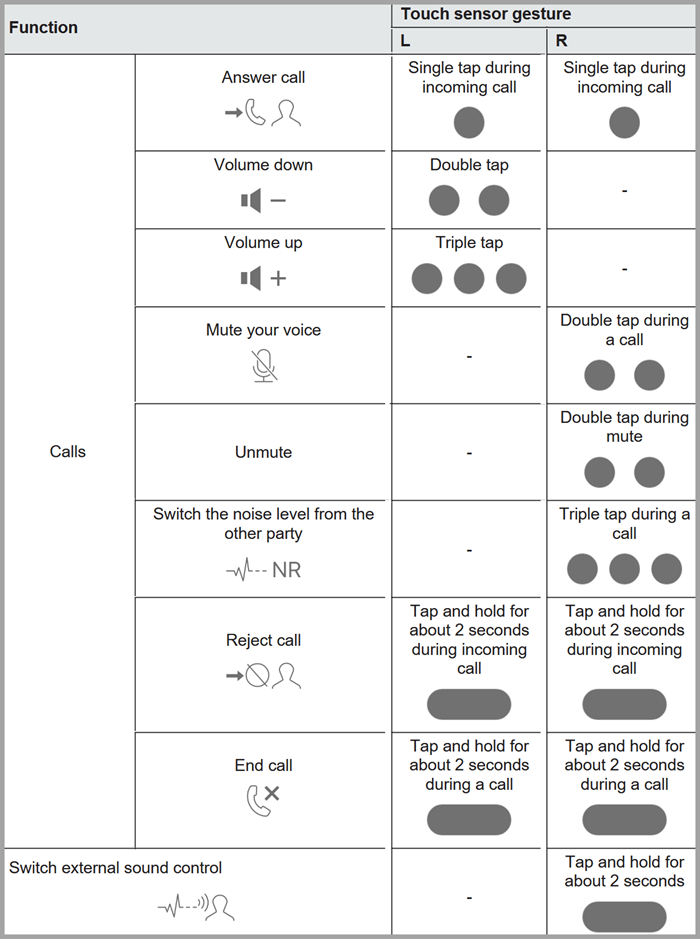
| Function | L | R |
|---|---|---|
| Answer Call | Single tap during incoming call. | Single tap during incoming call. |
| Volume down | Double tap | - |
| Volume up | Triple tap | - |
| Mute your voice | - | Double tap during a call |
| Unmute | - | Double tap during mute |
| Switch the noise level from the other party | - | Triple tap during a call |
| Reject call | Tap and hold for about 2 seconds during incoming call | Tap and hold for about 2 seconds during incoming call |
| End call | Tap and hold for about 2 seconds during a call | Tap and hold for about 2 seconds during a call |